
The short version
If you use Logseq solely as a daily scratchpad, it is one of the most frictionless tools ever built. The trouble starts when your graph grows past a few hundred notes and you feel the urge to organize. Suddenly, you are tempted to build complex dashboards, query tables, and nested folders. Do not do it. Logseq is a local-first outliner, and it works best when you treat it as a flat stream of bullets rather than a carefully manicured second-brain museum.
The verdict is simple. Stay in Logseq if you think in fragmented, out-of-order bullets and rely on granular block references to connect your ideas. Switch to Obsidian if you write long-form essays, need folder-based structure, or want a massive library of visual plugins that do not slow your editor to a crawl.
What it is
Logseq is a free, open-source, local-first outliner that saves your notes as plain-text Markdown files on your hard drive. Unlike traditional note-taking apps that present you with a blank page and a folder tree, Logseq forces you into a bulleted list. Every single line you write is a block.
Because it is local-first, your data belongs to you. There is no corporate cloud holding your library hostage, and the app runs entirely offline. It is available for Windows, macOS, Linux, Android, and iOS. Logseq positions itself as a privacy-respecting space for interconnected thinking, but under the hood, it is essentially a highly optimized database built on top of flat text files.
The journal that stuck
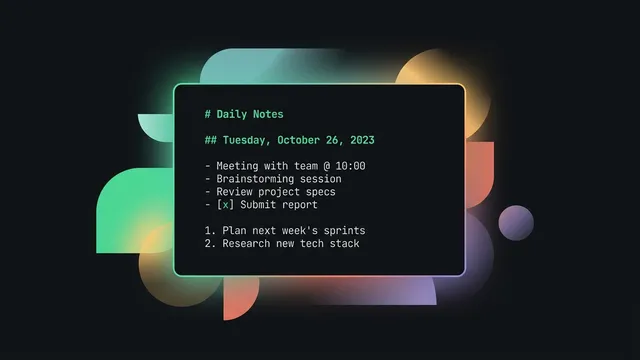
The core of the Logseq experience is the journals page. Every time you open the app, you are greeted with today’s date and a blank bullet. There is no decision fatigue about where to file a note, what to name it, or how to categorize it. You just start typing.
This friction-free entry is why people stick with Logseq when other tools fail. If you read a book, attend a meeting, or have a random idea, you write it down under today’s journal entry. To keep it organized, you link to other pages inline using double brackets, like [[Book Notes]] or [[Project Apollo]].
Over time, your journal page becomes a chronological log of your thoughts. If you want to see everything you wrote about a project, you do not open a folder. You open the project’s page, and Logseq automatically pulls in every journal bullet that linked to it. It is a system that rewards writing over organizing.
Block refs without a religion
In most note apps, the smallest unit of organization is the page. In Logseq, it is the block. Because every bullet is a database entry, you can reference or embed any single bullet anywhere else in your graph.
This is incredibly powerful if you avoid turning it into a religion. You do not need a complex taxonomy. Instead, use these three lightweight rules to keep your growing graph usable:
- Link blocks, not just pages. If you are referencing a specific quote from a meeting, grab its block ref rather than linking to the whole meeting page. This keeps your search results clean.
- Use namespaces for loose hierarchy. If you have multiple client projects, name them
clients/acmeandclients/sirius. Logseq will automatically build breadcrumbs at the top of the page, giving you structure without folders. - Keep queries simple. Logseq has a powerful query engine, but complex advanced queries will slow down your graph. Stick to simple queries like
{{query (todo todo)}}on your daily page to track open tasks.
By keeping your links granular and your queries basic, your graph stays fast and readable. You avoid the trap of building procrastination furniture.
Where the outline breaks
Logseq is not perfect, and its biggest strength is also its biggest weakness. Because it is a strict outliner, writing long-form prose in Logseq is a frustrating experience. Every paragraph is a bullet, and exporting that text to a standard document requires a lot of clean-up. If you want to write essays or long-form articles, the block structure will fight you at every turn.
Performance is another major caveat. As your graph grows to thousands of pages, Logseq can start to feel sluggish, especially on mobile devices. The app has to parse your entire directory of Markdown files to build its internal database, and large attachments or PDF highlights can cause noticeable lag.
Finally, sync is a common pain point. Because Logseq is local-first, keeping your graph in sync between a laptop and a phone requires a deliberate setup. If you rely on third-party cloud services like iCloud or OneDrive, you will eventually encounter file conflicts and sync loops that duplicate your daily notes.
The cost of local-first
Logseq is completely free and open-source. You can download the app and use it forever without paying a dime. The developers make money by offering Logseq Sync, an optional encrypted synchronization service that costs $5 per month.
If you do not want to pay for their sync service, you have options. You can synchronize your graph for free using a private git repository, a setup we detailed in our guide on how to sync an Obsidian vault with git. Alternatively, you can use Syncthing to sync your files directly between devices without involving the cloud.
The pricing shape is honest. There are no paywalls on core features, no artificial limits on graph size, and no nagging upgrade prompts. You pay for convenience, not access.
Who should stay, who should switch
If your daily work consists of quick logs, task tracking, meeting minutes, and highly connected research, Logseq is the best tool on the market. The outliner structure keeps you focused on capturing information rather than formatting it. It is perfect for developers, researchers, and anyone who thinks in fragments.
However, if you are a writer who needs to produce cohesive, multi-paragraph documents, you should switch to Obsidian. In Obsidian, you write on a standard page where a paragraph is just a paragraph, not a bullet block. Obsidian also features a much larger plugin directory and better performance with massive vaults.
If you are currently on the fence, we recommend reading our head-to-head comparison of Obsidian vs Logseq to help you decide which layout fits your thinking style.
Alternatives
If neither Logseq nor Obsidian feels quite right, you are not out of options. Here are the two closest alternatives that respect your data:
- Obsidian. The closest competitor. It is also local-first and Markdown-based, but uses a standard page layout instead of an outliner. It is faster, more stable, and has a much larger community.
- Plain Markdown files. If you want the ultimate low-overhead setup, just use a folder of flat text files and a fast text editor like VS Code or Helix. It is boring, indestructible, and will still work in thirty years.
For a minimal starting guide, check out how to start Logseq without building a second brain to get up and running without the bloat.
Try it
You can download the desktop and mobile apps directly from the official Logseq website.
Start by creating a single folder on your computer, pointing Logseq at it, and writing your first bullet on today’s journal page. Do not install any plugins or configure any templates on day one. Just write.